
Routster Studio
Control description generator
Reads the map under every control and proposes columns C to F of its description, so the setter starts from a draft instead of an empty sheet.
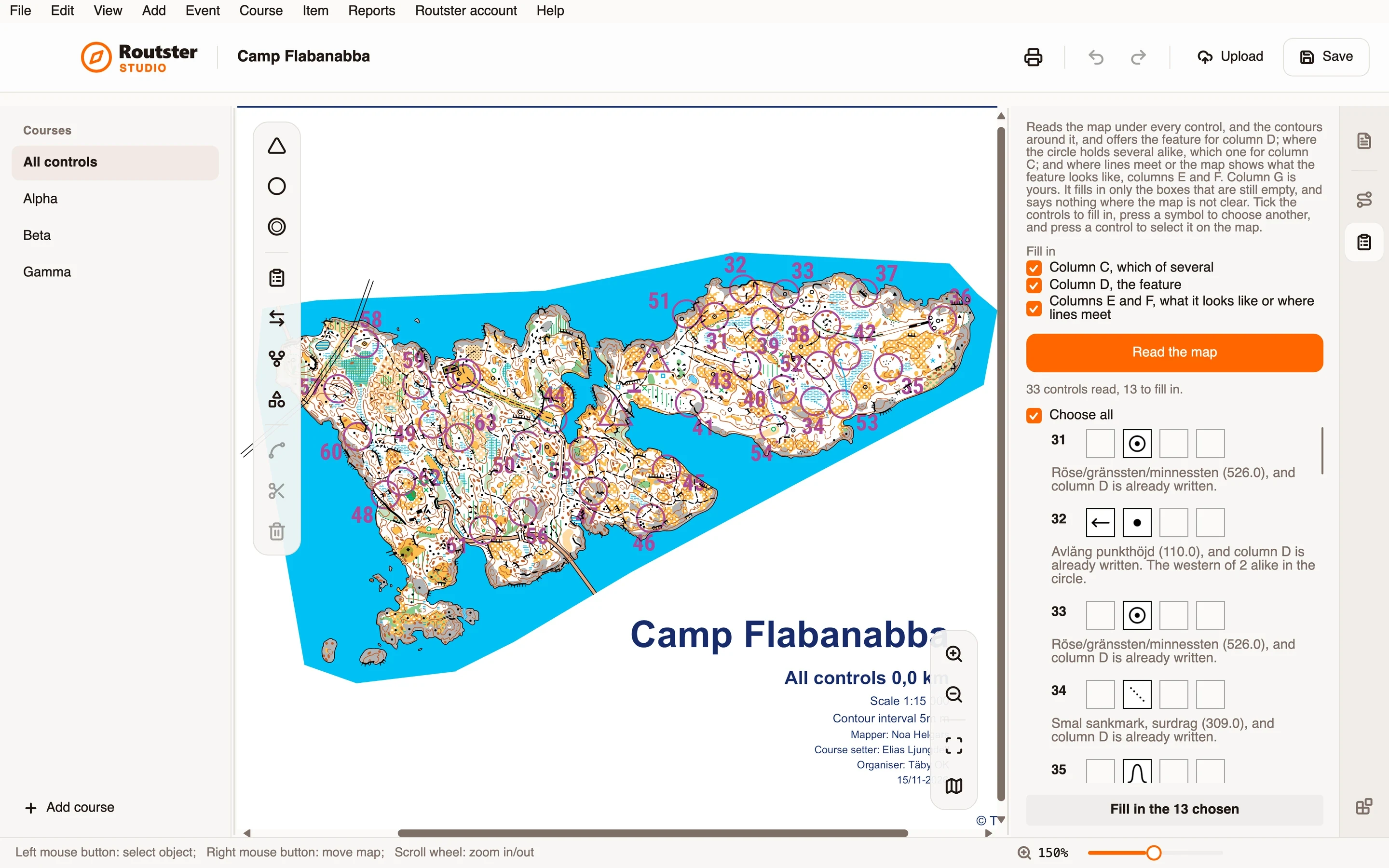
What it does
For every control it looks at what the map has under the circle and what the contours do around it, and says what it found. For column D it names the feature and its map symbol number, such as a boulder cluster or a vehicle track, or reads a landform from the contours: a depression, a knoll, a hill, a saddle, a spur or a re-entrant. Where the map does not show which side of a contour is higher, it says so and leaves the choice to you rather than guessing.
For column C, where the circle holds several alike, it says which one the control is on, such as the northern boulder, and nothing when no direction holds. For columns E and F, where the control's path or track meets another, it proposes the junction or the crossing, and where the map says what a feature looks like, ruined, rocky, marshy or sandy. Column G stays yours.
You choose which columns it fills and which controls. It writes only into boxes that are still empty, as one step you can undo. Press any box to choose another symbol: what the map has there comes first, then every symbol, and a symbol you choose is written even over a filled box.
How you use it
- Open an event with an OCAD map, and open the module's page.
- Under Fill in, tick the columns it may fill: column C, column D, and columns E and F.
- Press Read the map. Each control is listed with what was found under it and the boxes it proposes.
- Read the list against the map. Press a control to select it on the map, and press a box to choose another symbol.
- Tick the controls to fill in, or Choose all, and press Fill in the chosen. Check the descriptions before you print; Undo takes the whole step back.
What it needs, and what it does not do
- It needs an OCAD map, because it reads the map's objects and contours.
- It proposes columns C to F. Column G, where the control is, and column H are still yours.
- It is a draft, not a finished description. It says nothing where the map is not clear, and it is not a substitute for the setter's own review.