
Routster Studio
Control logistics
Plans the laps to put out and collect the controls, and makes each lap a course to print for the helpers.
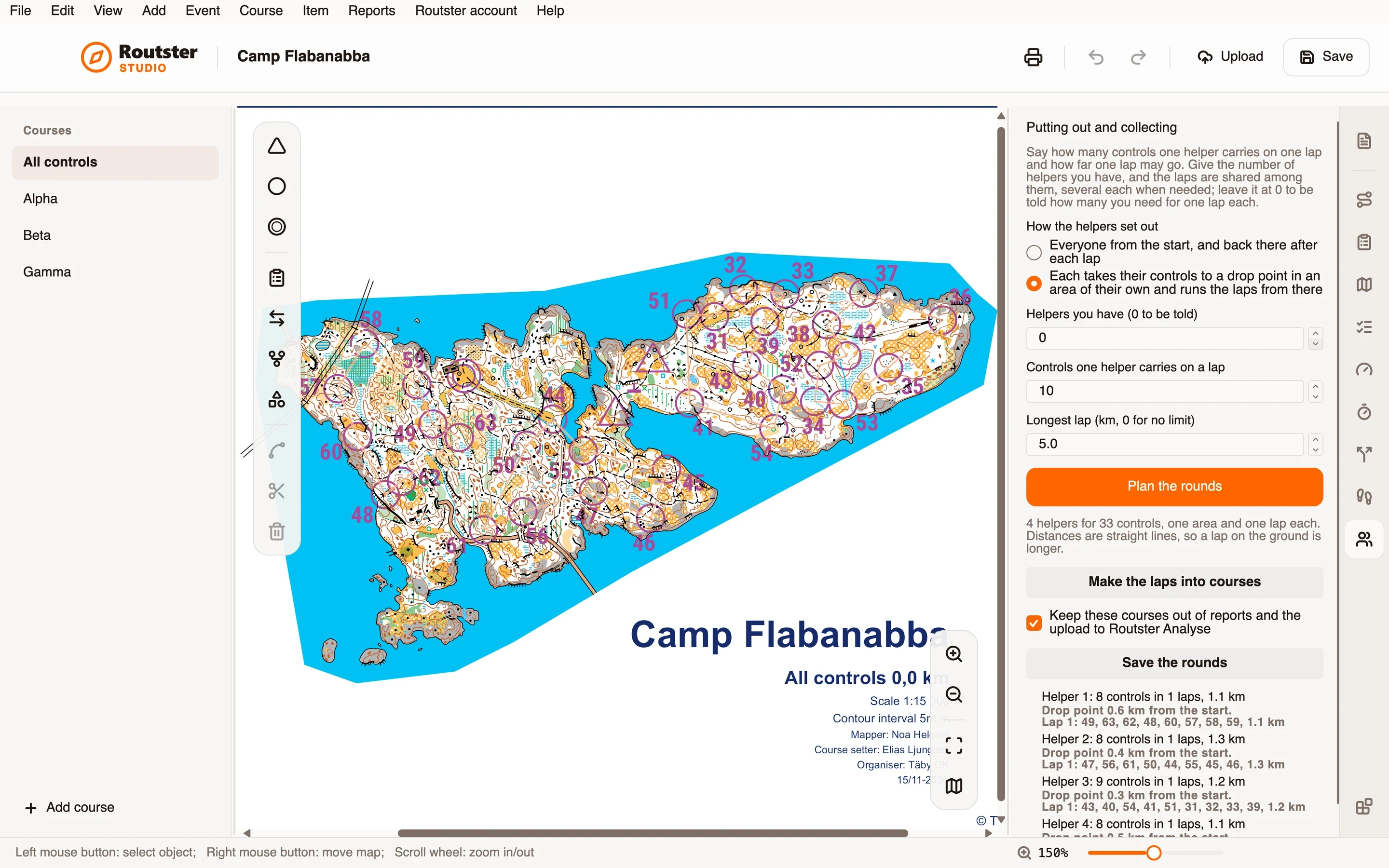
What it does
You say how many controls one helper carries on a lap and how far a lap may go. You can give the number of helpers you have, and the laps are shared among them, several each when needed; leave it at 0 to be told how many helpers you need for one lap each.
The helpers can set out in two ways. Everyone can go from the start and come back there after each lap. Or each helper can take their controls to a drop point in an area of their own and run the laps from there.
Make the laps into courses adds Setting out 1, Setting out 2 and so on to the event, one per lap, to print like any course. They are kept out of reports and out of the upload to Analyse unless you untick the box, and Undo takes them back in one step. Save the rounds keeps the plan.
How you use it
- Choose how the helpers go out: from the start, or each to an area of their own.
- Give the number of helpers you have, or leave 0 to be told, then how many controls one carries on a lap and the longest lap in kilometres.
- Press Plan the rounds and read the plan: each helper's laps, and each lap's controls and length.
- Press Make the laps into courses to get Setting out 1, 2 and 3 in the event, and print them like any course.
What it needs, and what it does not do
- It plans and prints. There is no live guidance to a helper's phone.
- Distances are straight lines, so a lap on the ground is longer than the plan says, and the page says so.
- Without the map's scale only the number of controls limits a lap. To make the laps into courses the event needs a start.
- A control that alone is further than one lap may go is marked as too far.