
Routster Studio
Course check
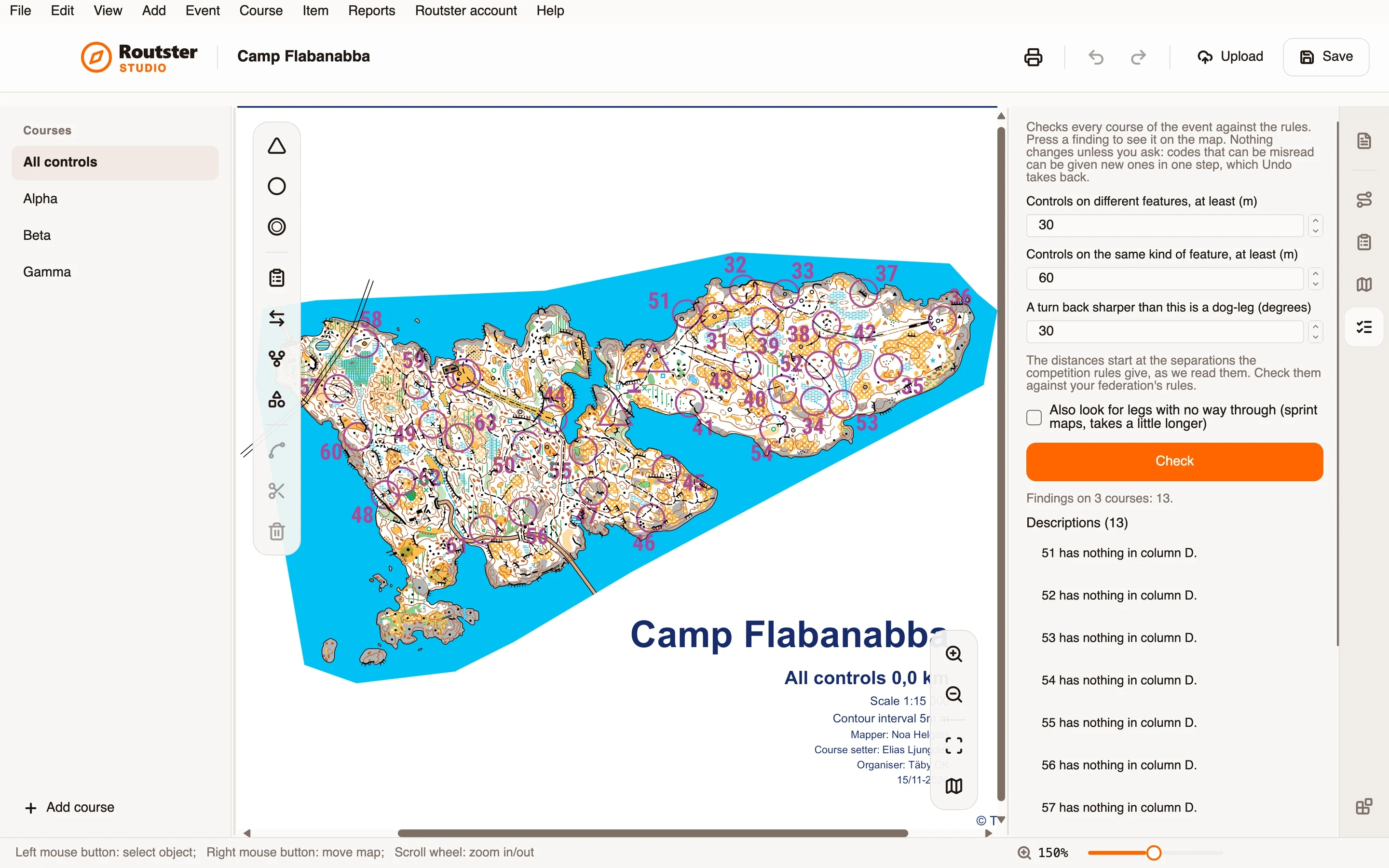
Checks every course of the event against the rules before it goes to print, and shows each finding on the map.
What it does
It goes through every course and reports what it finds in groups: controls too close together, descriptions with nothing in column D, codes that are too low or that read as each other upside down, dog-legs, controls that are on no course, and, on a sprint map, legs with no way through.
Controls on different features must be at least a set distance apart, and controls on the same kind of feature a longer one. A dog-leg is a turn back sharper than the angle you set. A code under 31 is reported, and so are two codes that read as each other upside down, such as 66 and 99.
Legs with no way through are found by routing each leg, and a leg that cannot be run without crossing out of bounds or impassable ground is reported. That part takes a little longer, so it is a box you tick.
Codes under 31 and codes that read as another upside down, such as 66 and 99, get new ones in one step when you press Change these codes under the code findings, and Undo takes them back; every other code stays.
Apart from that it changes nothing. Press a finding and it is shown on the map.
How you use it
- Open the module's page.
- Look at the distances and the dog-leg angle. They start at the separations the competition rules give, as we read them, so check them against your federation's rules.
- On a sprint map, tick the box for legs with no way through if you want that check too.
- Press Check.
- Read the findings by group, and press one to see it on the map.
- Fix the course yourself, and check again.
What it needs, and what it does not do
- It checks the rules it implements, not every rule of every event. The distances are starting values to compare with your federation's, not a ruling.
- Distances need the map's scale; without one they are not checked.
- Legs are routed on sprint maps only, so on a forest map that part is left out and the page says so.