
Routster Studio
Scale bar and north arrow
A scale bar and a north arrow that move, print and save like any other object on the map, and stay true on paper.
What it does
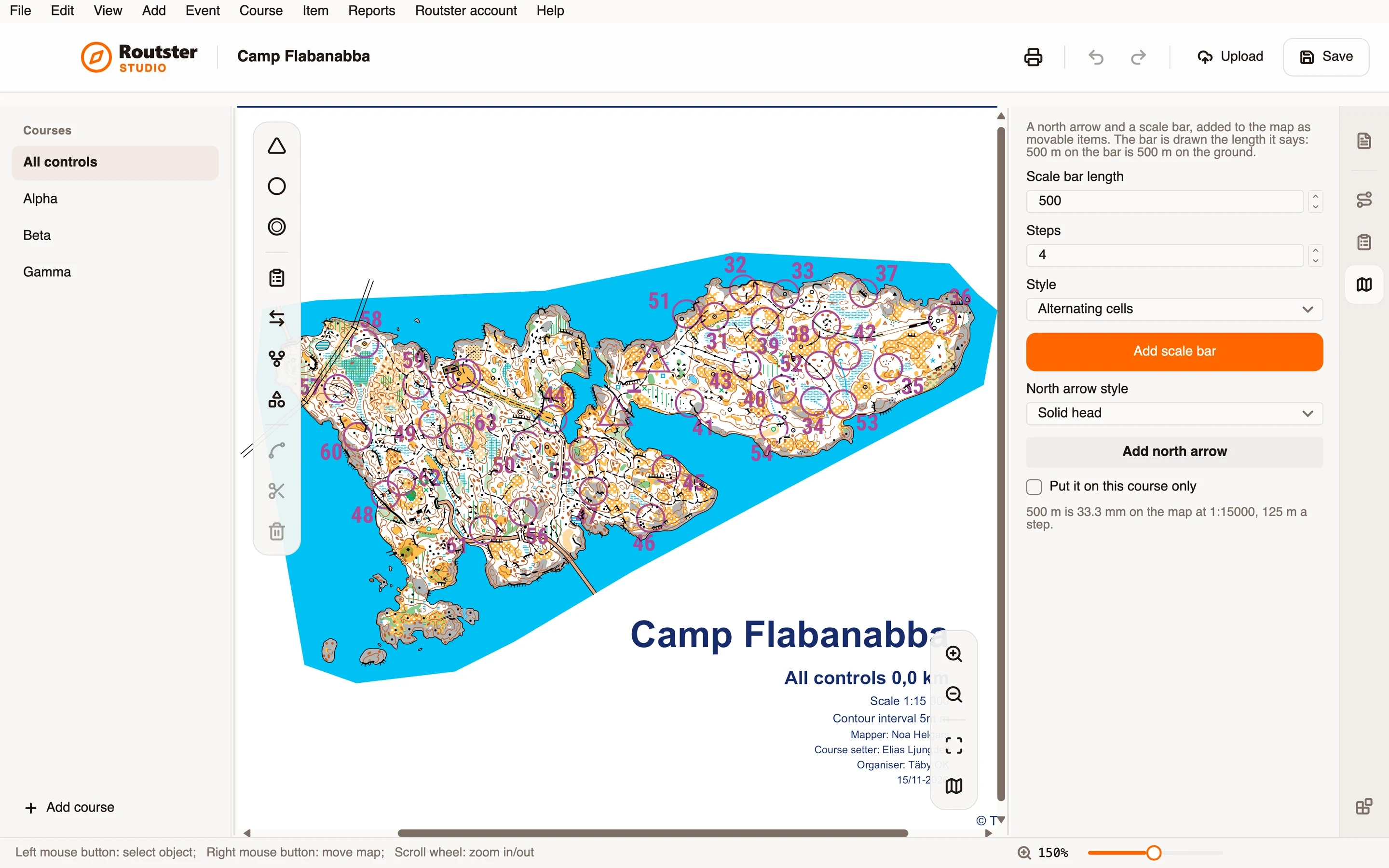
The scale bar is drawn the length it says: 500 m on the bar is 500 m on the ground. The page works it out for the scale the course prints at and tells you, for instance, that 500 m is 33.3 mm on the map at 1:15000, 125 m a step.
You choose the length and the number of steps, and one of four styles: alternating cells, a chequered bar of two rows, a line with ticks, or a plain line. The north arrow comes in four styles too: a solid head, a compass needle, an open head or a slim line.
Each is added below the course as a movable item. Drag it where you want it. It is an ordinary object of the event, so it is saved with it and printed with it.
How you use it
- Open an event with a map, and open the module's page.
- Choose the scale bar's length, its steps and its style, and press Add scale bar.
- Choose a style for the north arrow and press Add north arrow.
- Drag each where you want it on the map.
- Tick Put it on this course only if it belongs on one course and not on all of them.
What it needs, and what it does not do
- It needs an event with a map and a map scale, since the bar's length on paper follows from them.
- The length has to be above zero, and the number of steps within the range the page names.
- It adds two objects. It changes nothing else on the map.