
Routster Studio
Winning time estimate
Estimates the winning time of every course from what its best routes run through and the pace of the class that runs it.
What it does
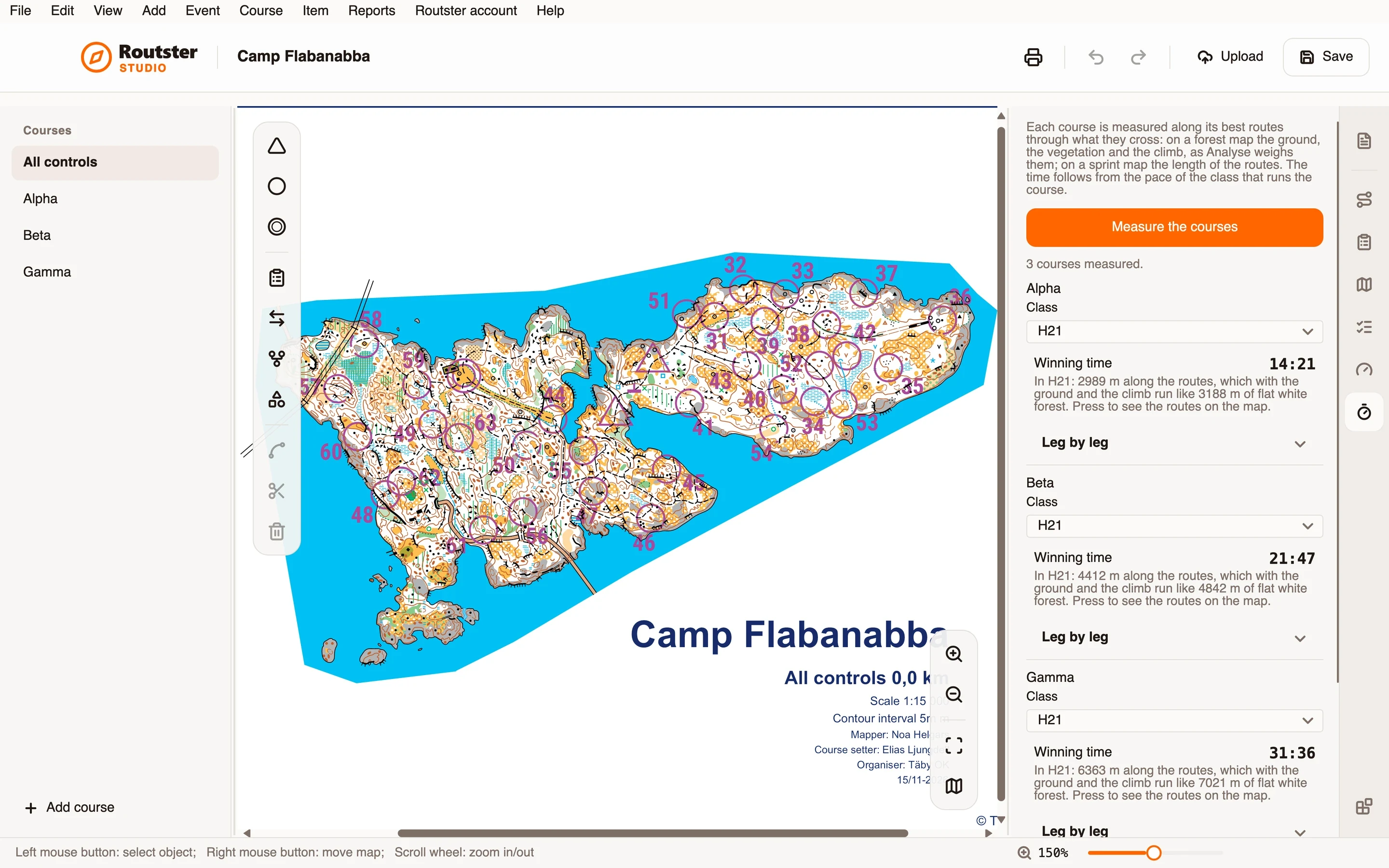
Each course is measured along its best routes through what they cross. On a forest map that is the ground, the vegetation and the climb on Analyse's cost surface, and the result is given as metres of flat white forest, which is what running the course costs. On a sprint map it is the length of the routes.
The time follows from the pace of the class that runs the course. You choose the class for each course, and each class has a winning pace in the forest and on streets, in minutes and seconds per kilometre. Analyse weighs a road as three times cheaper than forest, because that is how elite orienteers choose routes, but for the time no stretch is run faster than the class runs streets, and vegetation, marsh and climb slow it as Analyse weighs them.
Show the routes on the map draws the routes it timed, and Leg by leg gives each leg's time, so you can see where the minutes are.
How you use it
- Open the module's page.
- Press Measure the courses.
- Choose the class that runs each course.
- Read each course's winning time, and how it was made up.
- Press Show the routes on the map to see the routes it timed, and open Leg by leg to see the time of each leg.
- Compare the first times with a real race and adjust the paces. Go back to the starting values undoes it.
What it needs, and what it does not do
- The paces are starting values, not measurements. Change them to fit your runners.
- A forest map is measured through its OCAD file; a PDF or an image is refused. Without the map's scale nothing can be measured in metres.
- If the map has no contours, the climb is left out and the times are short on hilly ground. The page says so.
- A course with a leg that has no way through on the map gets no time.